Documentation The loop
Companies and opportunities
One screen holds every business from lead to paying client, and the pipeline tracks each deal through nine stages. What moves a deal, and what moving it does.
A company is a local business. An opportunity is a deal with it. The difference matters because you can sell the same business twice — a website this spring, a care plan next year — and every website and invoice attaches to a deal, not to the company.
Companies
Companies is one screen for the whole lifecycle. Leads, companies you are pitching, paying clients, and the ones you gave up on are all stages of the same row, not separate lists.
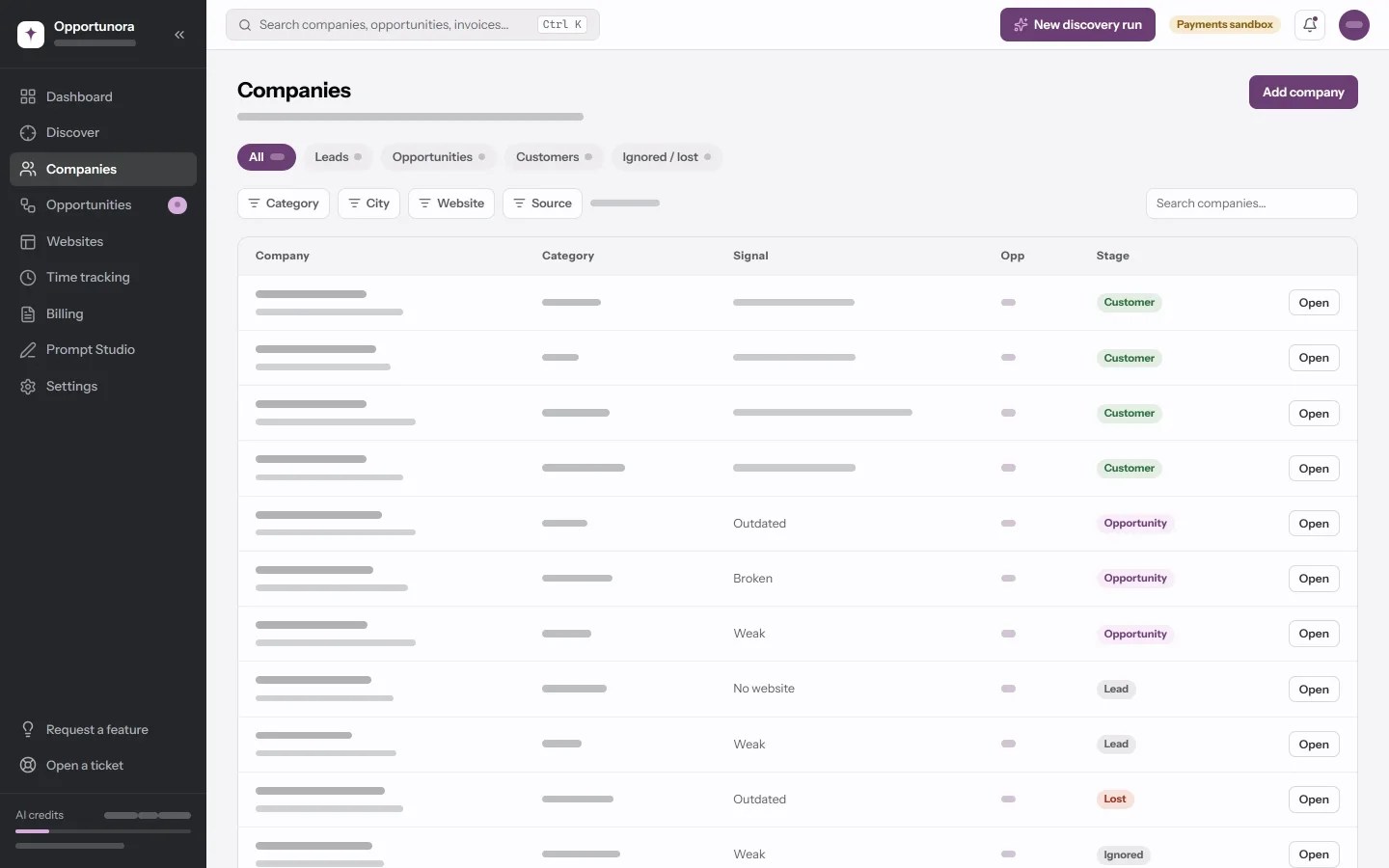
The pills filter by stage:
| Pill | Stage |
|---|---|
| All | Everything. |
| Leads | Found, not yet pitched. |
| Opportunities | At least one open deal. |
| Customers | At least one won deal. |
| Ignored / lost | Set aside, or lost. |
The Signal column changes with the stage: for a customer it is what they have bought and been billed; for everyone else, the state of their current website. Opp is the opportunity score from discovery.
Adding a company by hand
Add company opens a form where only Name is required. Category is a closed list of thirty trades (anything else becomes Other). Street autocompletes addresses and fills in the postal code, city and country when you pick one. The app refuses a duplicate — same domain, same phone, or same name in the same city.
A company you add by hand has no analysis. It joins the same pipeline as a discovered one, but its scores stay blank.
The company page
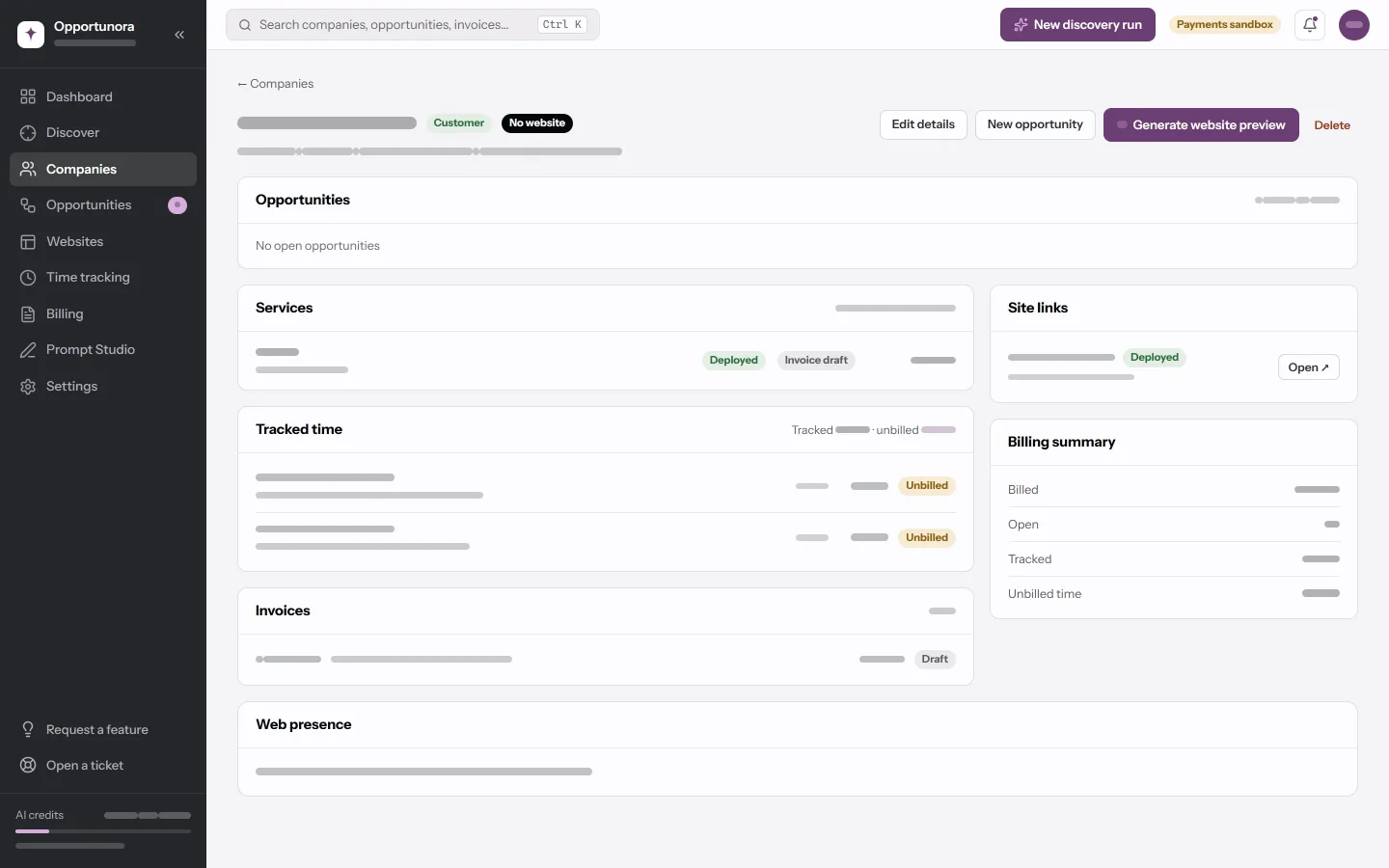
The next-step rail at the top is the loudest thing on the page. It picks the furthest-along open deal and tells you what to do with it:
| That deal is at | The rail says | Its button |
|---|---|---|
| no deal yet | Open the deal… | Open the deal |
| New, Qualified | Generate the website preview | Generate website preview |
| Generating | Finish the preview in the studio | Open the studio |
| Ready for review | Review the preview, then send it | Review the preview |
| Sent | Follow up with the client | Open the deal |
| Interested | Close the deal | Open the deal |
Below it:
- Opportunities — the open deals. Won deals move to Services.
- Current website, Issues found, AI summary and Improvement opportunities — what discovery found, with a severity on each issue. Or, for a business added more simply, one Web presence card with its score, findings and the brand colours read off its current site.
- Once the company is a customer, or has time or invoices against it: Services, Tracked time, Invoices, Site links and a Billing summary.
Edit details changes the record, including its stage. Delete (desktop only) lists everything that goes with it before it asks — deals, websites, projects, time. A company with any invoice cannot be deleted at all: billing records are kept.
Opportunities
Opportunities is the pipeline. On a desktop you choose Board or Table; a phone always gets the table, because the board is drag and drop.
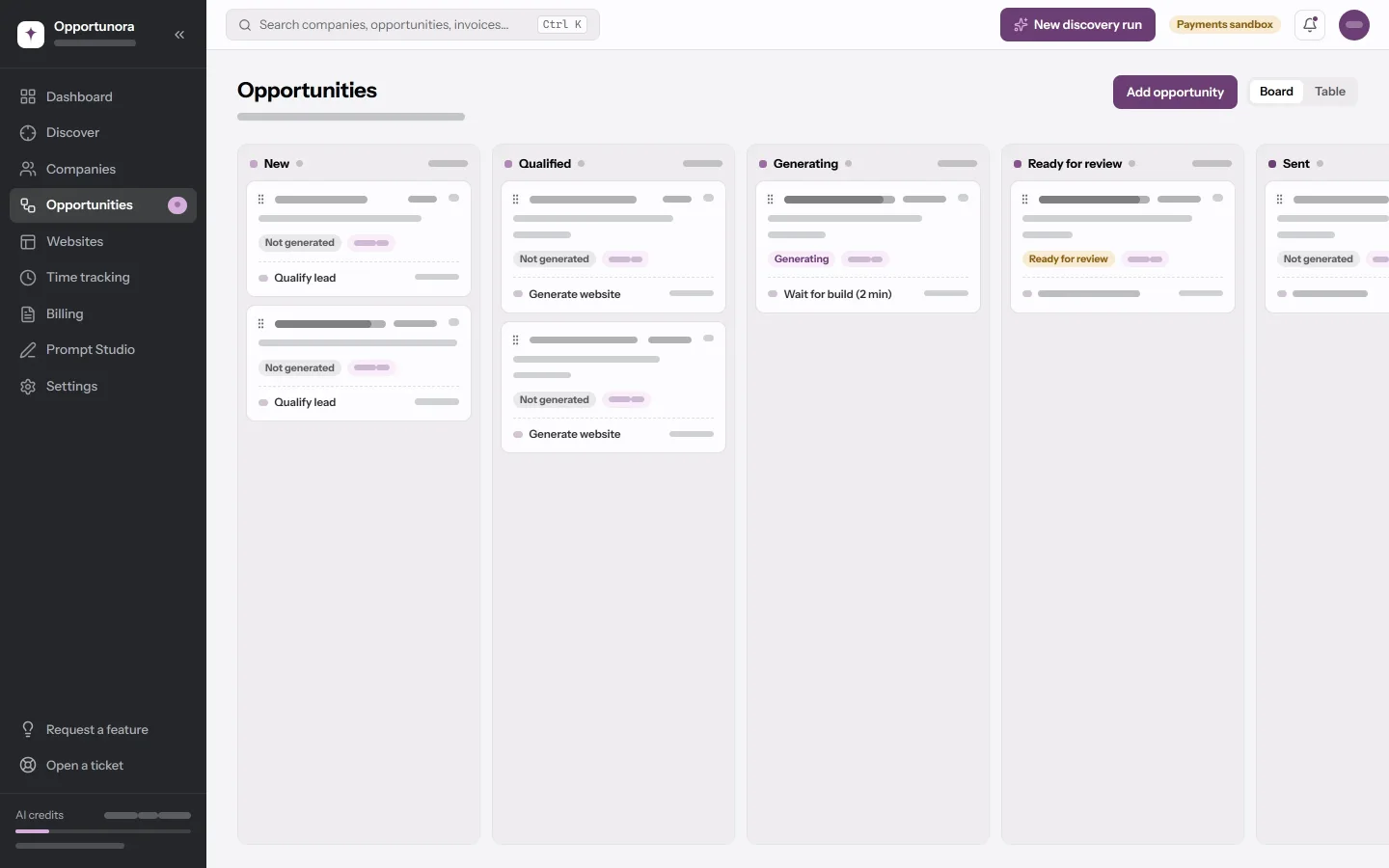
The stages
- New — just opened.
- Qualified — worth pursuing.
- Generating — the website is being built.
- Ready for review — a version exists and is waiting for you.
- Sent — the website is out with the client.
- Interested — the client is talking.
- Won
- Lost — the client said no.
- Discarded — you withdrew: the deal's website was deleted outright.
Move a deal by dragging its card, from the ⋯ → Move to stage menu on the card, or with the Stage select on its own page.
What a move does
Most moves only change the label. Three do more:
- Into Won — the company becomes a Customer, without asking.
- Out of Won, back to an open stage — the app asks whether to Set the company back to Opportunity?, unless another won deal keeps it a customer.
- Into Generating — nothing starts building. The stage is a label; the app offers Generate the website preview? with Generate now or Not now.
Some moves happen for you. Generating a website moves the deal to Ready for review. Publishing it moves the deal to Sent.
Opening a deal
Add opportunity, New opportunity on a company page, or Create opportunity on a discovery result. In the dialog:
- Name it after the deal, not the company. Care plan 2026 beats a second row with the same name as the business.
- Package fills in Value from the price of one of the packages you sell (Settings → Packages).
- Next action is what the rail and the card show under the name.
A deal from a discovery result opens with the defaults: stage New, value 0, no package. Open it to set them.
The deal page
Its own stage select, Edit, and Generate website preview — or Open website preview once a version exists. Then the Deal, Notes and Website cards, and the other deals on the same company.
Deleting a deal deletes the websites generated under it, with every version. Invoices survive; they just lose the link to the deal.
Projects
A project is the work around a won deal, and what time entries are tracked against. There is no screen for projects; they are created through the API. See API and webhooks.
Who can change what
Every role can read everything. Writing is split by role: companies and deals need Admin or Sales. See People and roles.
Next
A deal gets a website.